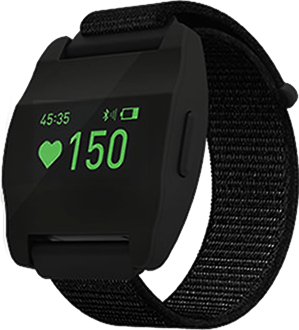
Morpheus is a company started by Joel Jamieson, a world renowned expert on recovery-driven conditioning and performance who has helped dozens of teams in NFL, NBA, US Navy Seals and many more. The goal of this project was to create a cross-platform experience for Trainers and Fitness Professionals. This includes Wearable devices, Tablets, Gym TVs and Mobile phones.
How might we personalize the Fitness Training experience for Trainers and Professional Athletes to train smarter and more efficiently?

Cross-Platform Experience
Create a consistent and seamless cross-platform experience across all user touchpoints.

Data Visualization
Design to make data easy to consume, interpret and actionable.

Athlete-Coach Interaction
Create seamless interactions between the coach and athlete to enhance the training experience.

Desirability and Delight
Make it look awesome and high-end for 2030, and beyond.
Team Members
Mark N (Designer), Venessa D (PM), Developers and Stakeholders.
My Roles
Information Architecture, Interaction Design, Visual Design, Prototyping and
Animations, User Research, Usability Testing.
Duration
Jan 2020 - May 2020 | 5 Months
4 platforms, 1 design system





Personas were already documented by our client. Here's a quick summary about who we were designing for.

Group Trainer
My style is all about group trainings. I like seeing my students draw from each others' energy and push themselves to their limits. My live sessions are exhilarating and yet customized for people based on their sleep and recovery. I need to identify those who can push harder versus those that have bad recovery for the most effective workout.

Personal Trainer
I train the world's top athletes who deserve a lot of attention. I create the best personalized fitness plans for them, analyze their performance carefully and make adjustments. It's imperative that I know everything about their day-to-day exercise, sleep and recovery to strive for high performance and perfection.
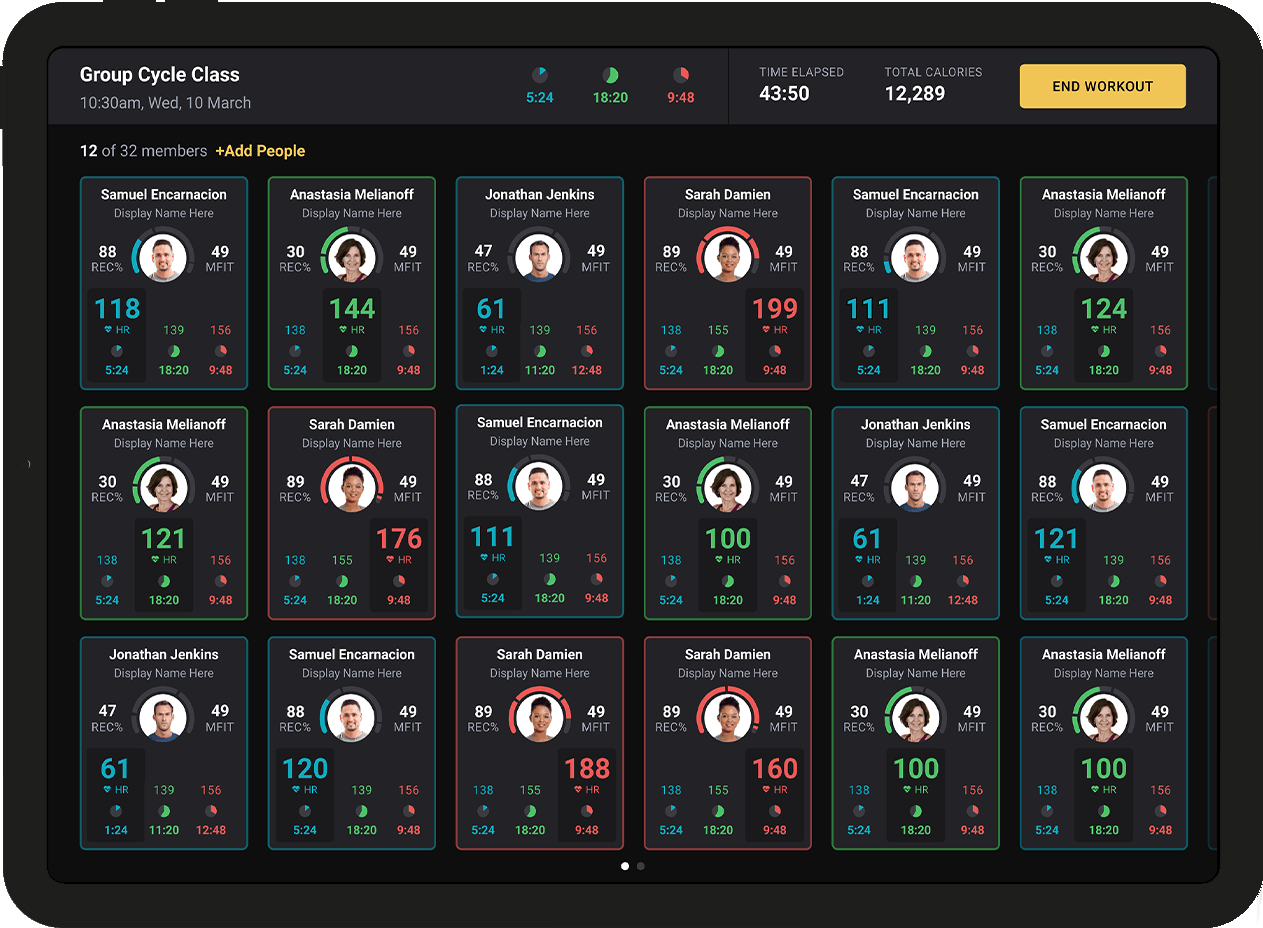
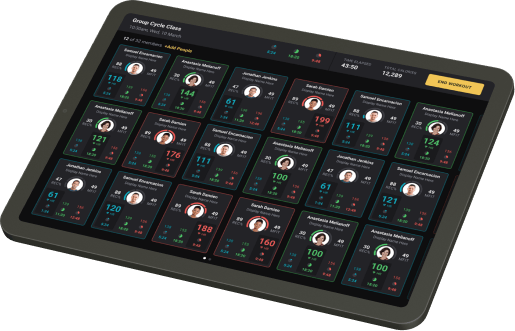
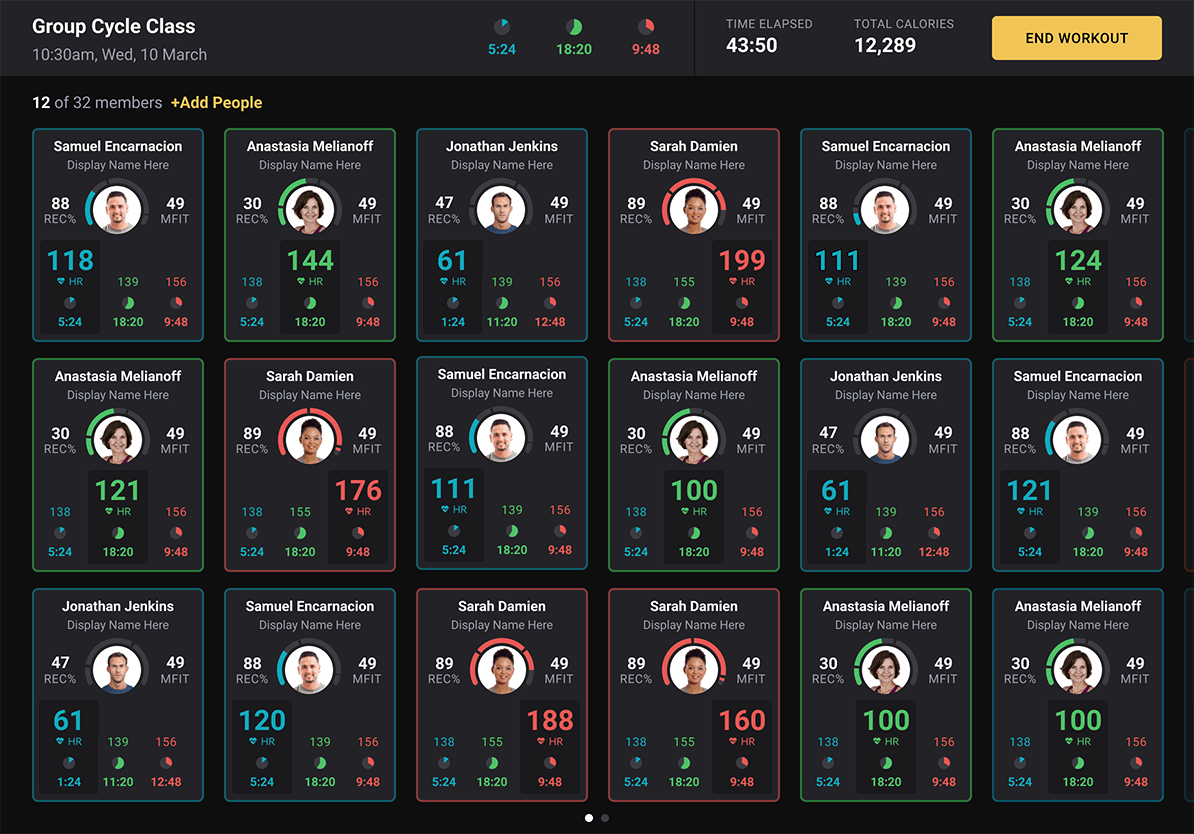
Coaches monitor live class sessions from the tablet so they can cue effort and watch the room in one place.
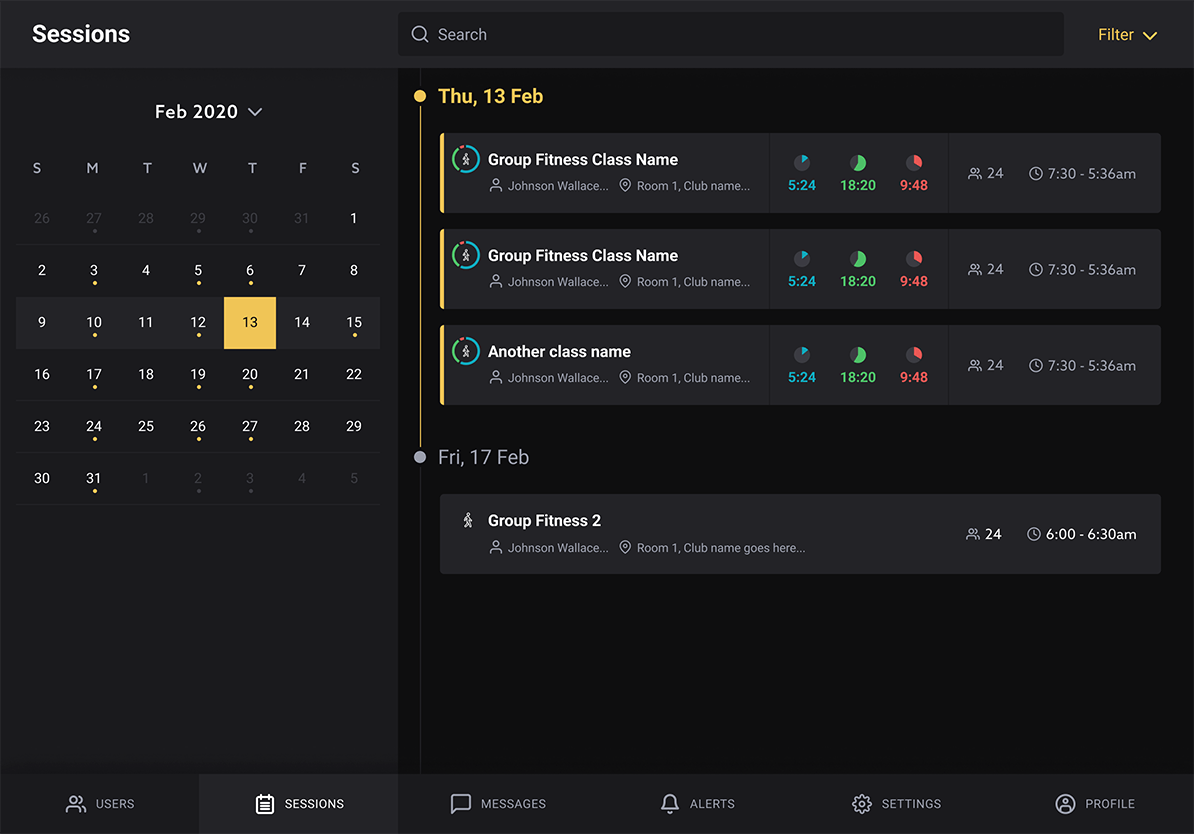
The sessions view pairs a month calendar with the day's classes so trainers see availability and details together.
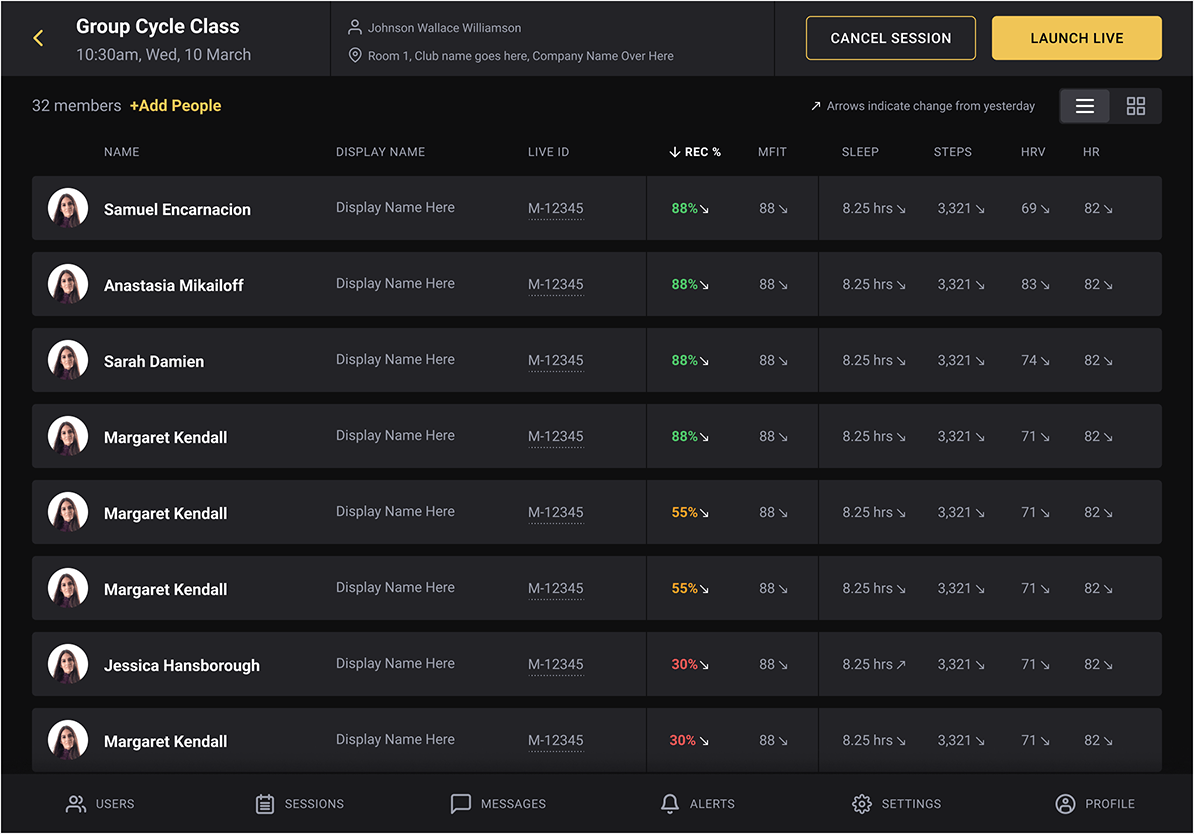
Before class, the roster shows who is booked in and surfaces quick signals so the coach can adapt the plan.
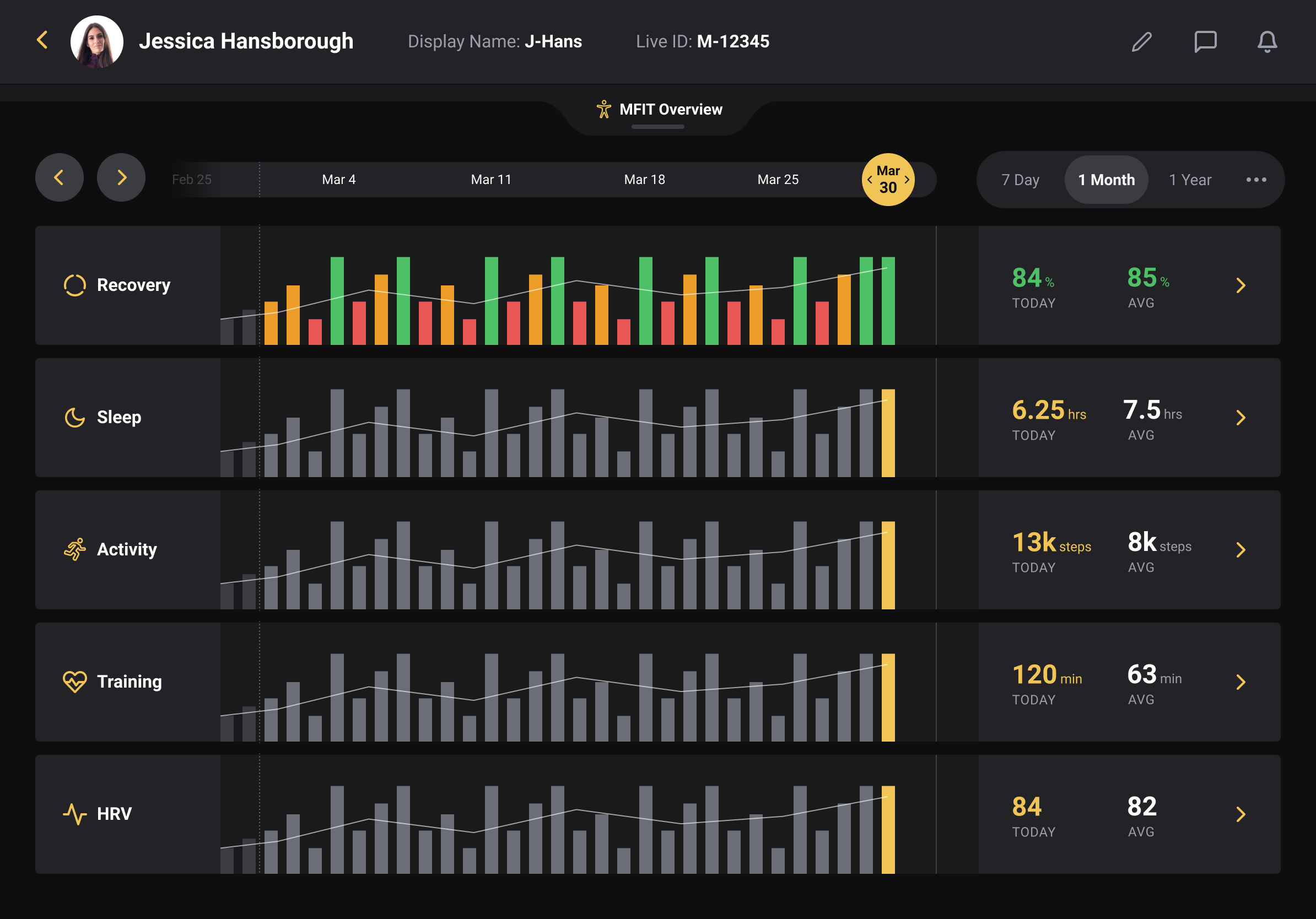
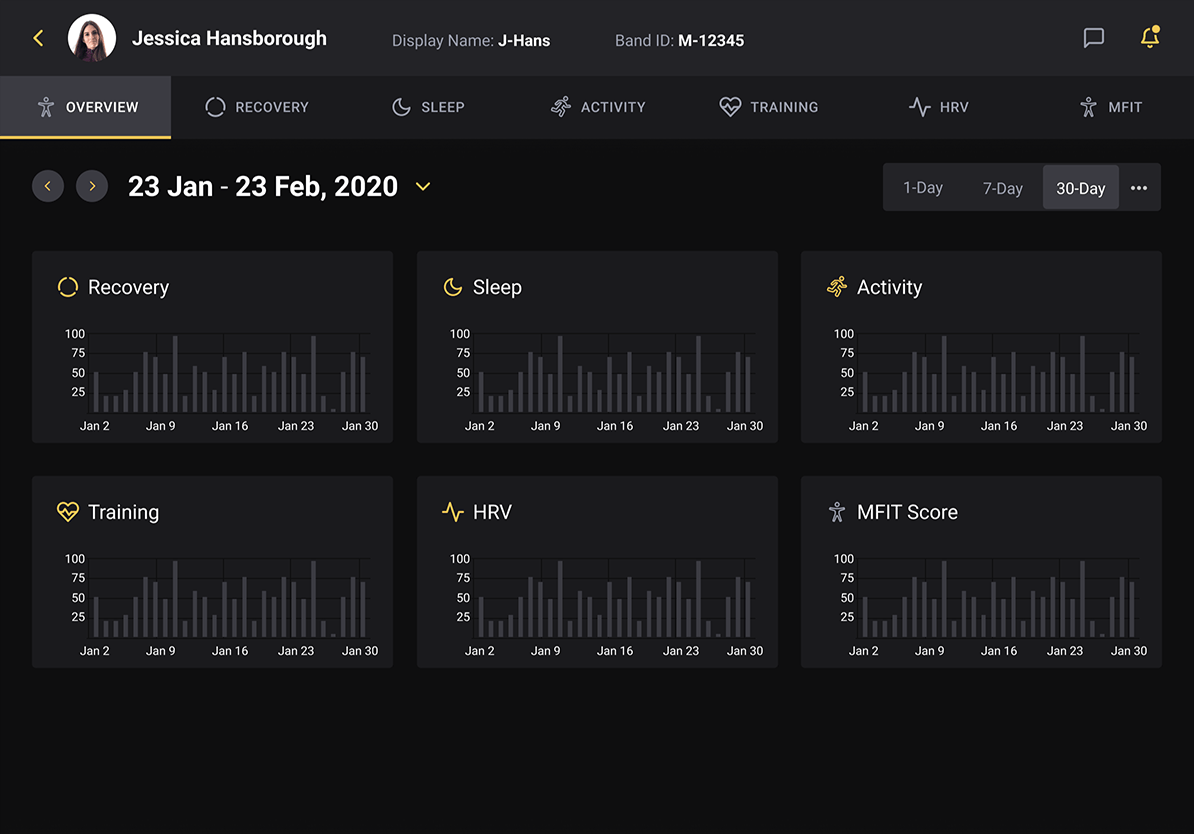
The athlete profile brings recovery, sleep, training load, activity, and HRV together so coaches are not hunting across separate screens.
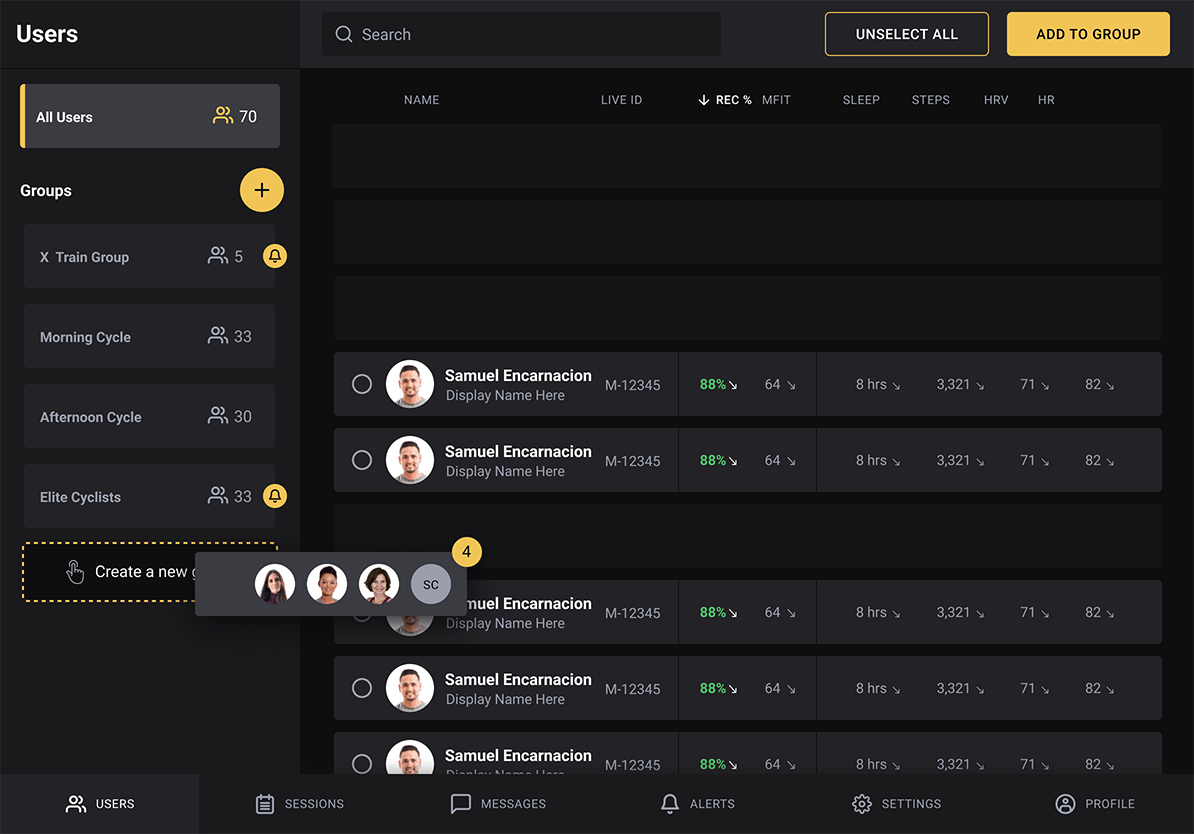
Groups organize members by program or skill level, which makes bulk actions, messaging, and scheduling tractable for busy facilities.
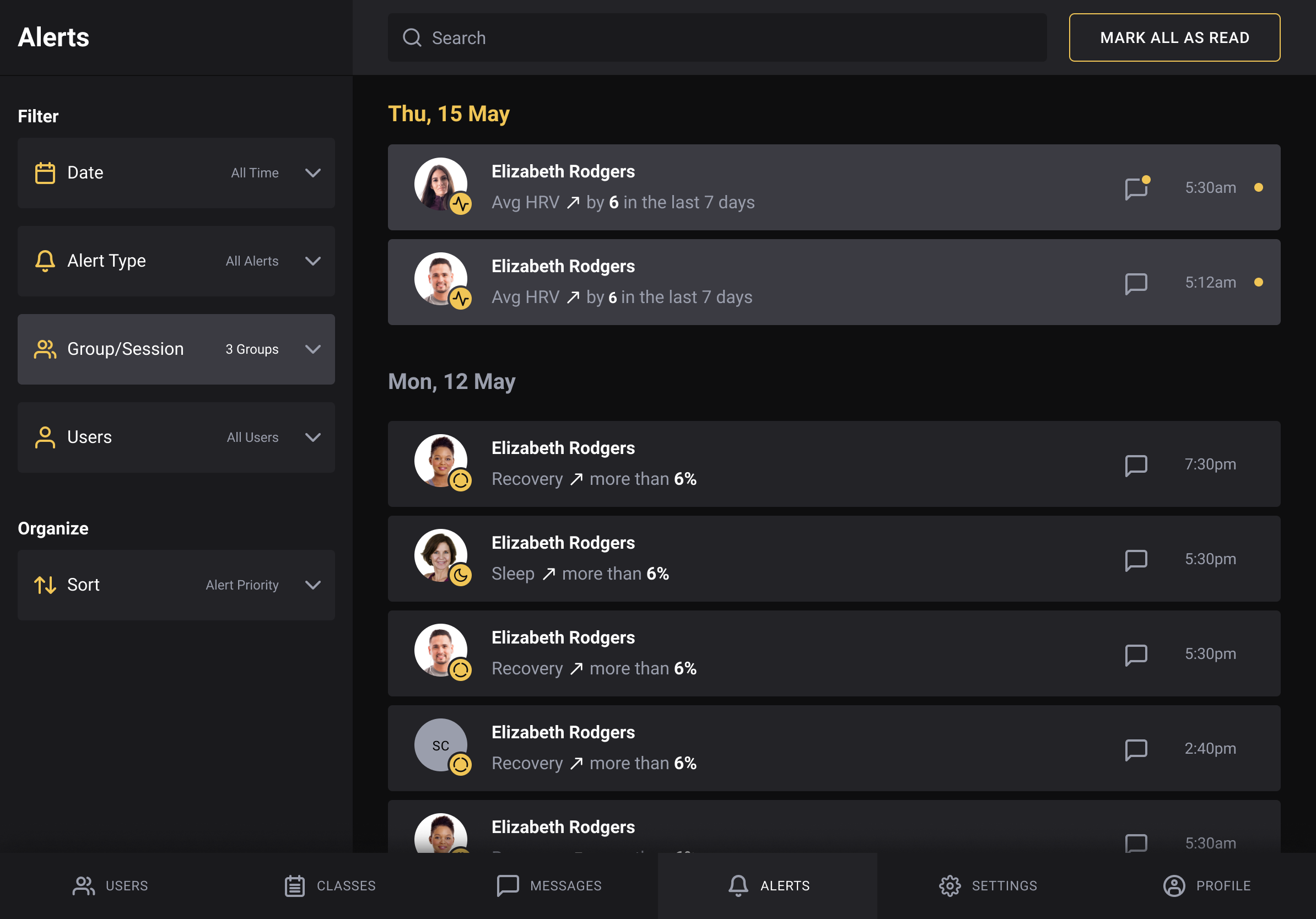
The alerts inbox can be filtered so staff focus on recovery warnings, attendance, or the rules the gym cares about most.
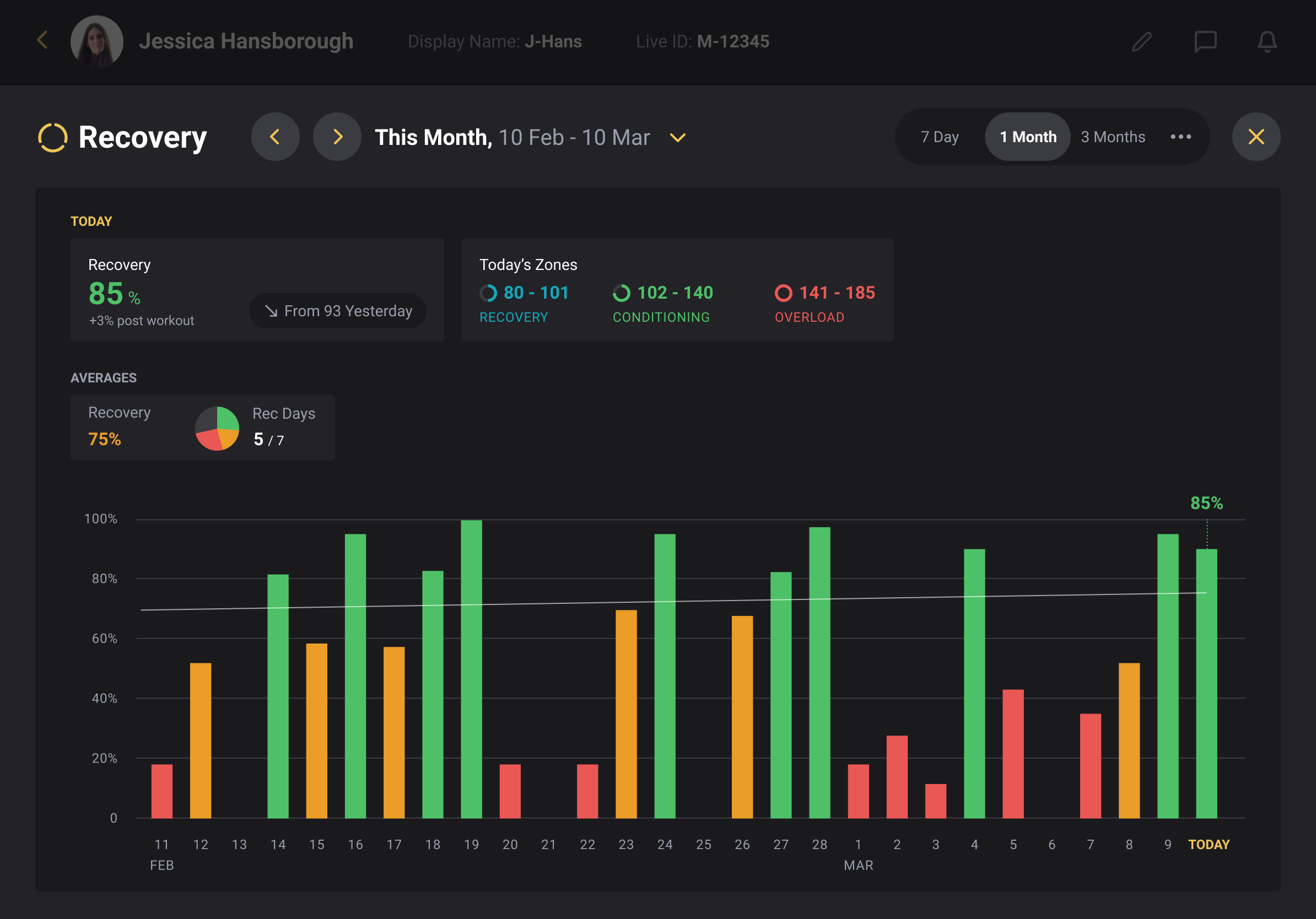
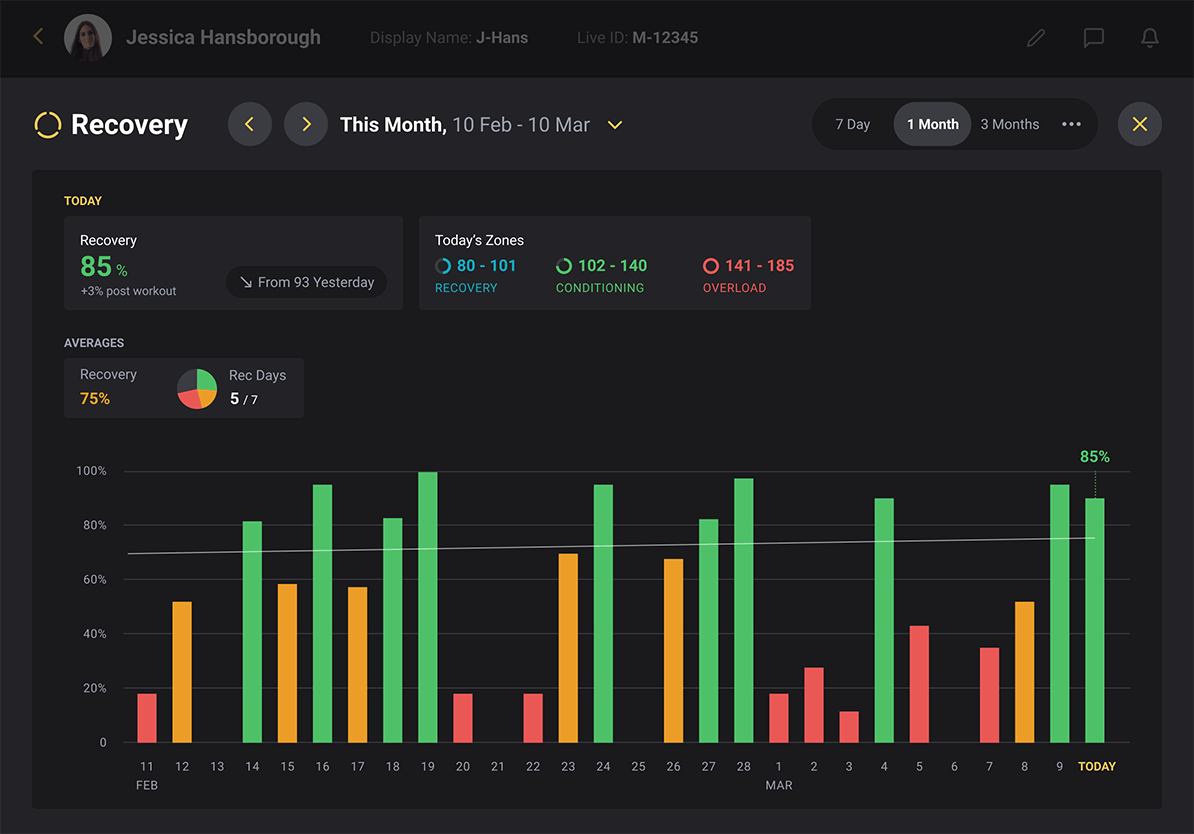
Recovery trends can be viewed across a chosen date range to compare readiness before and after a block of training.
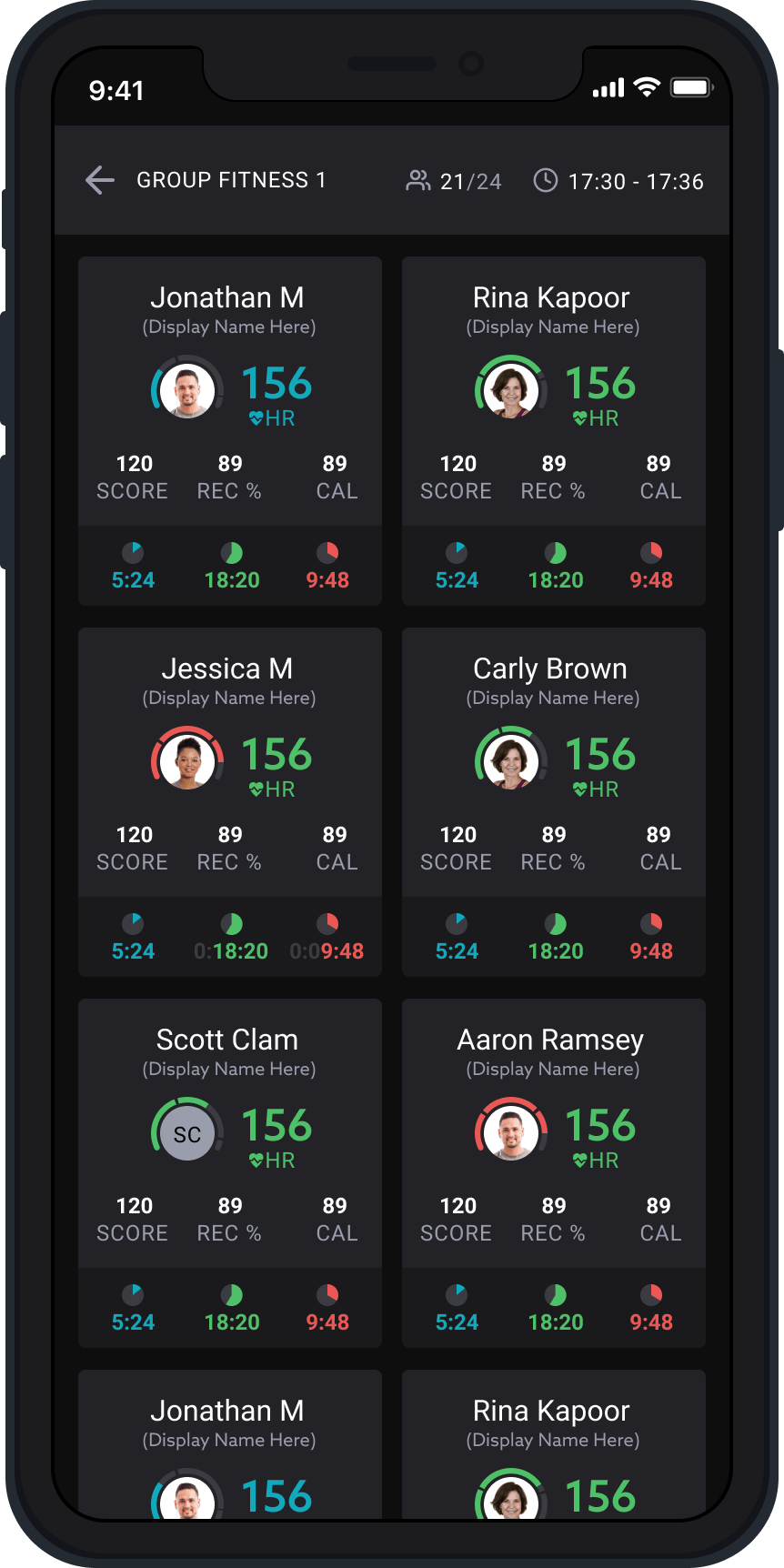
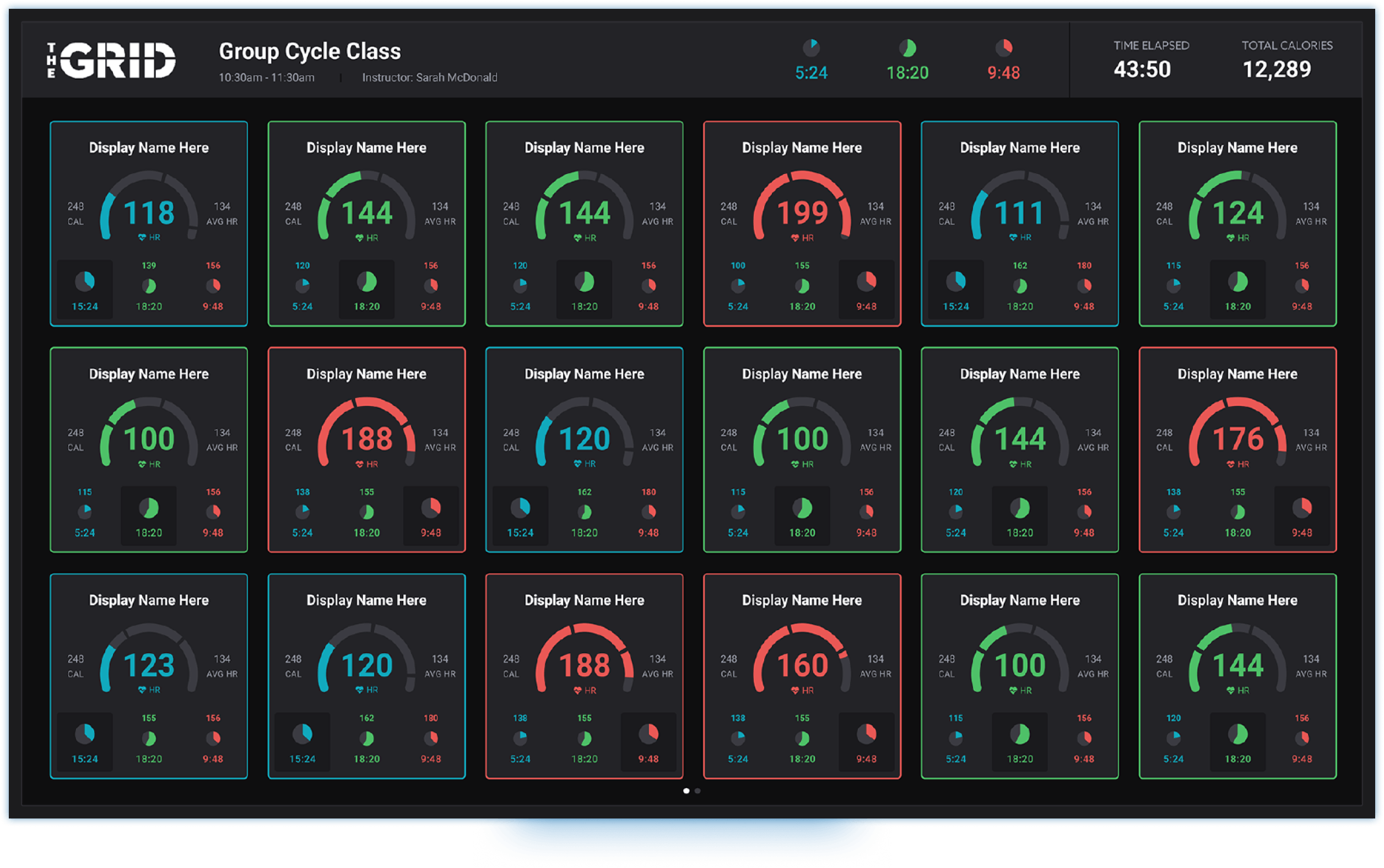
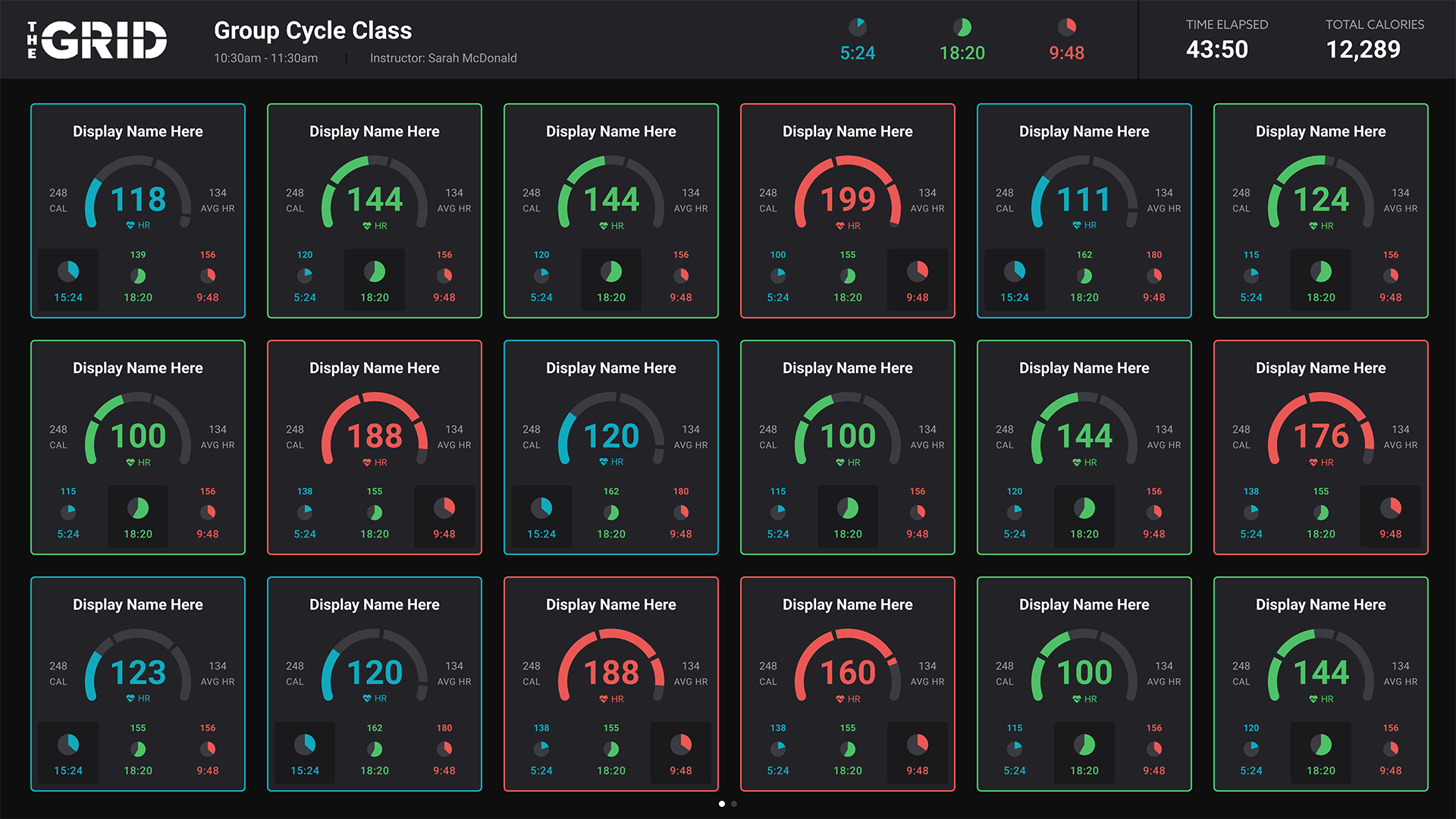
During a session, live tiles show each athlete's intensity and vitals so coaching stays grounded in what is happening on the floor.
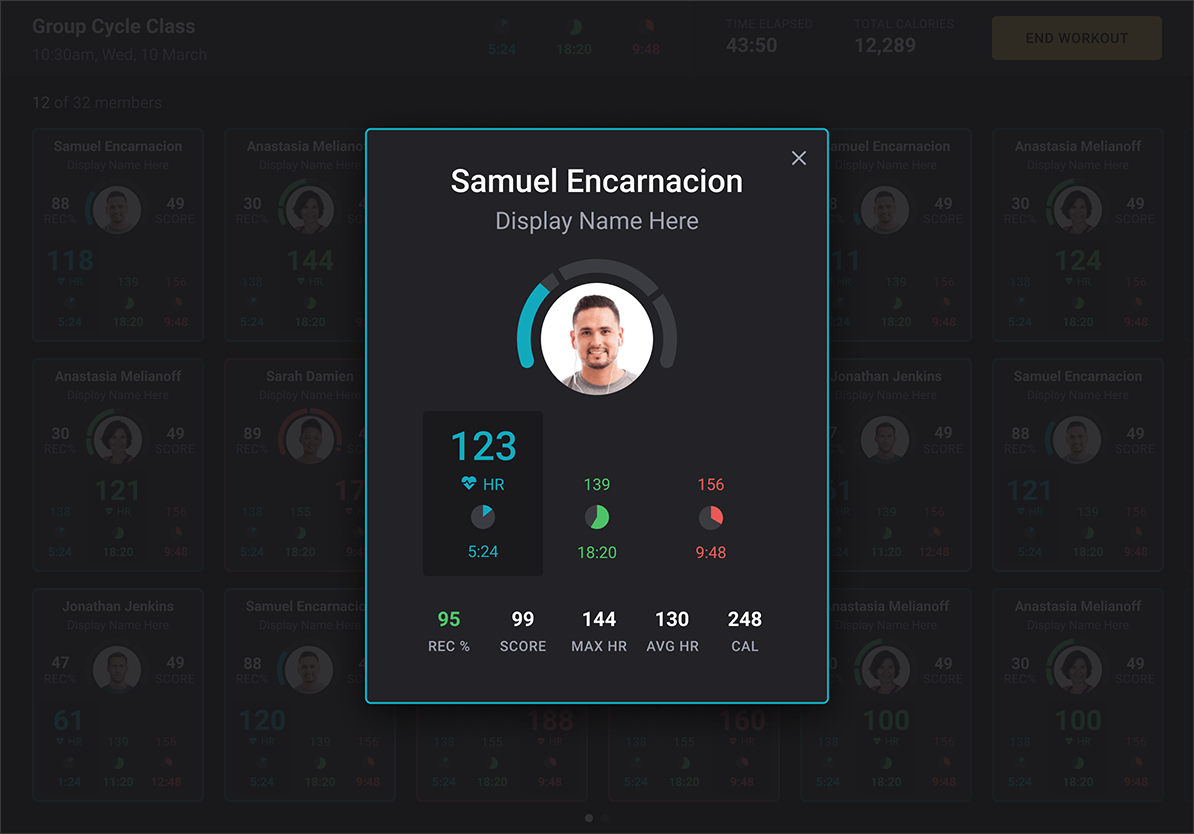
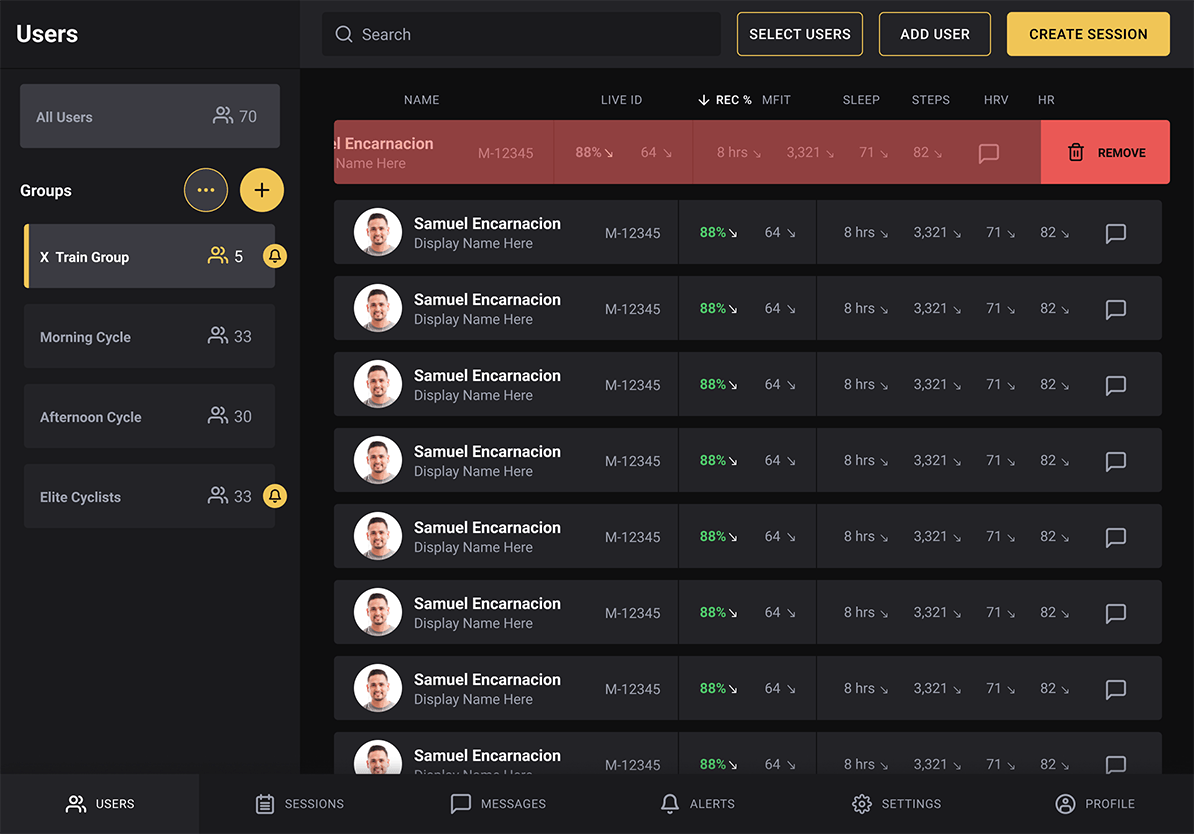
From the users table, coaches can select people, add them to a group, and keep rosters current without a separate admin flow.
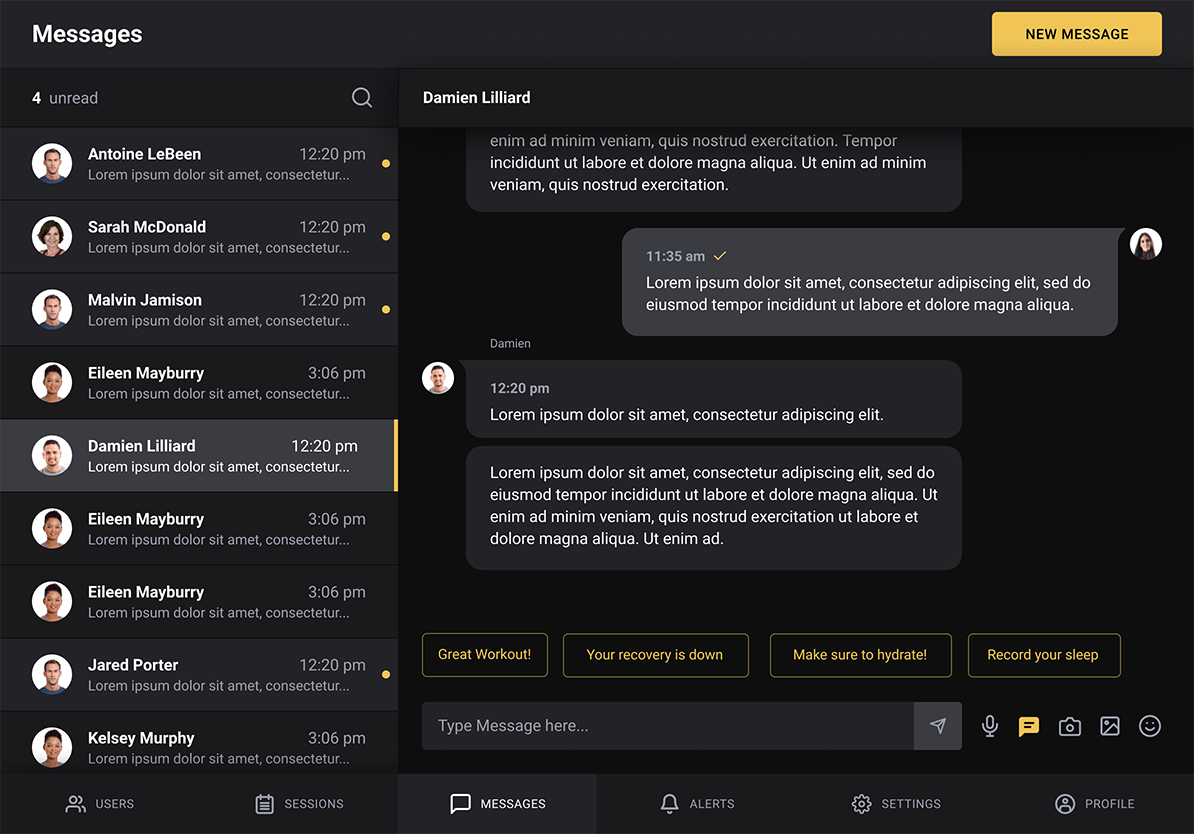
In-app messaging keeps conversations with athletes next to schedules and health data instead of in another app.
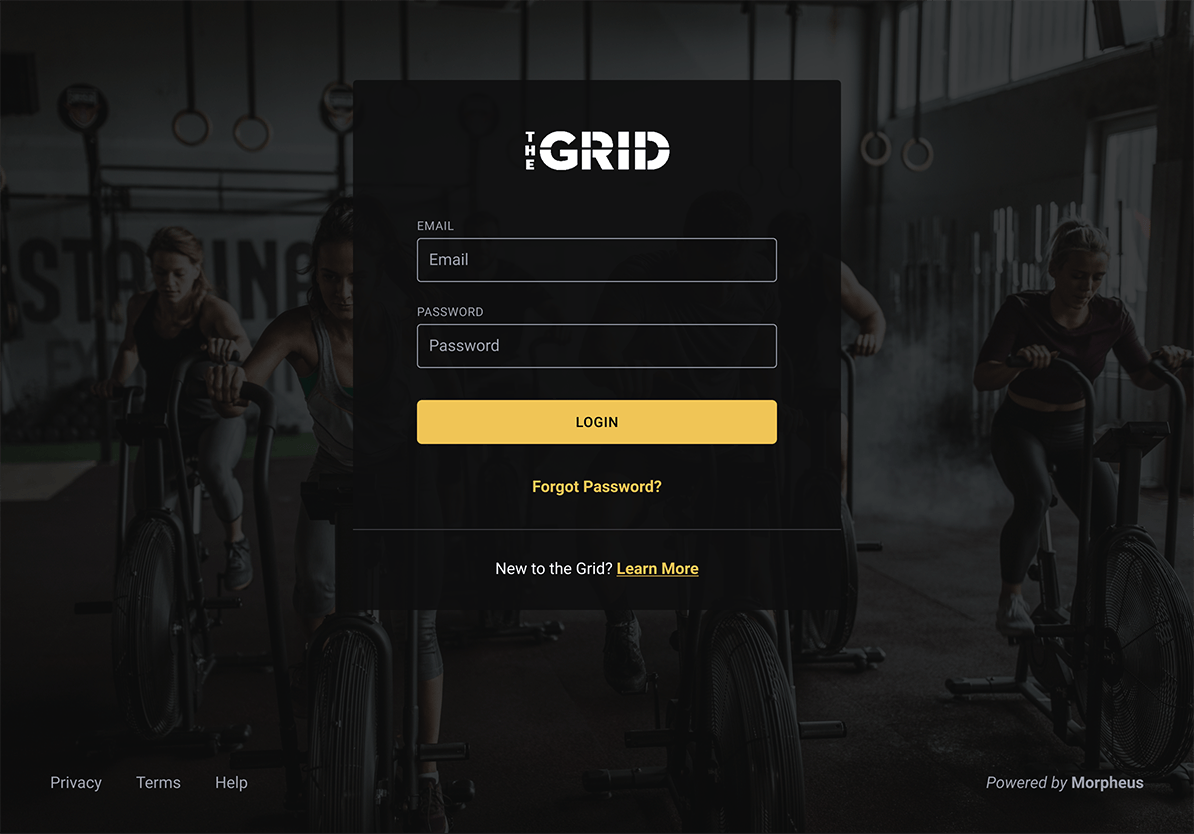
A focused sign-in screen supports secure access across tablet, phone, and web.
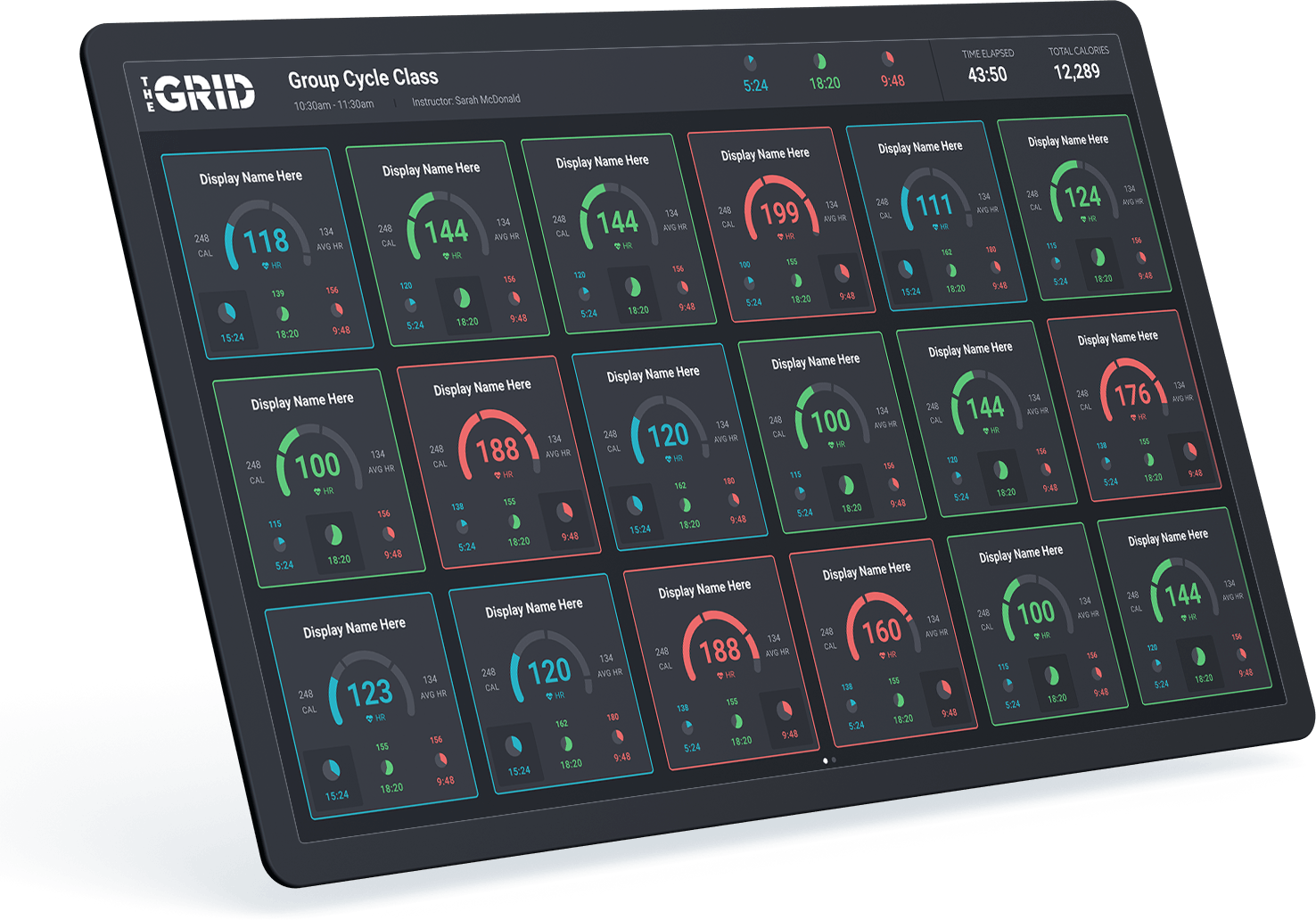
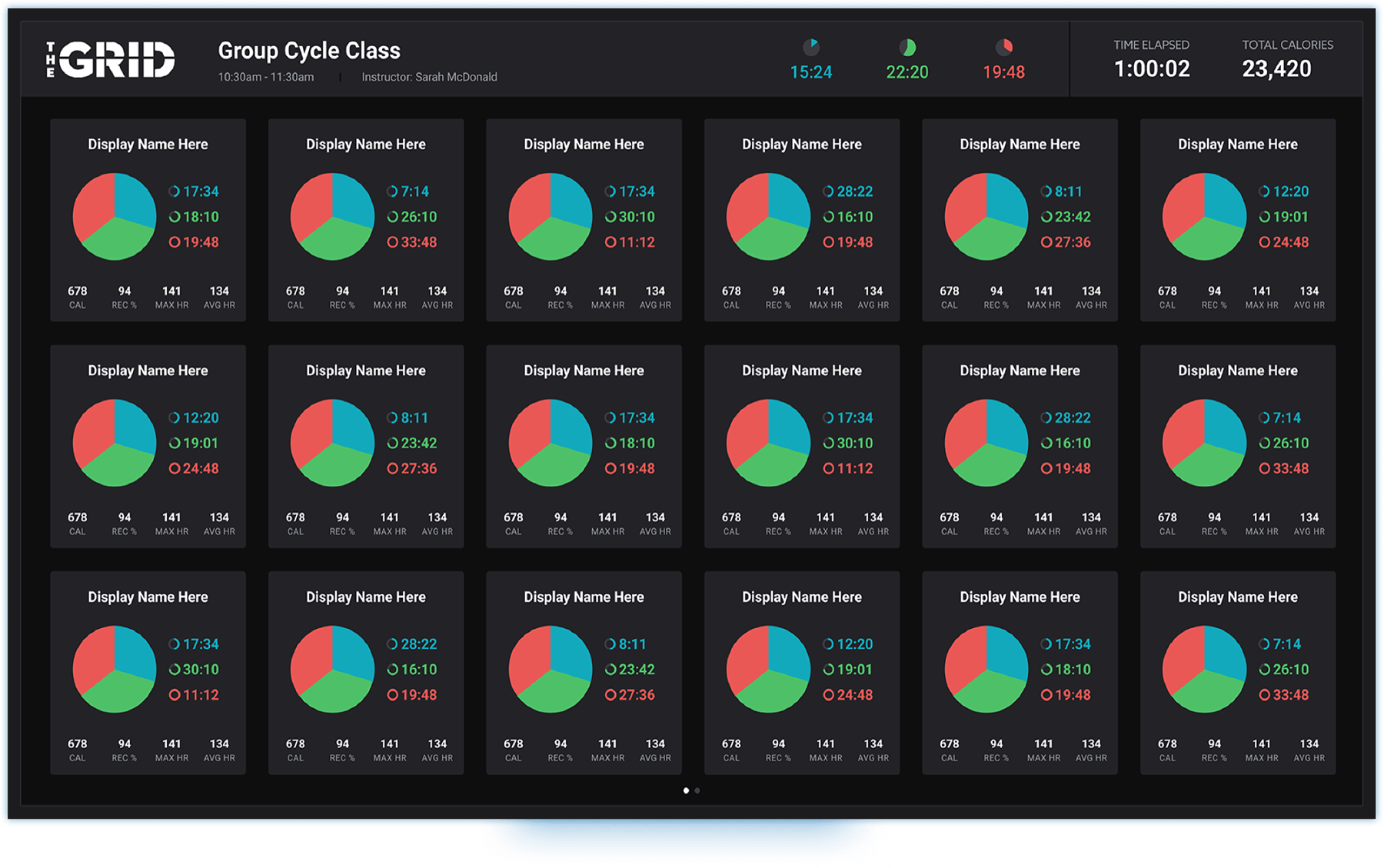
The wall display scales the live session so everyone in the room shares the same heart-rate and zone story.
After the workout, the recovery breakdown helps explain why an athlete felt strong or flat that day.
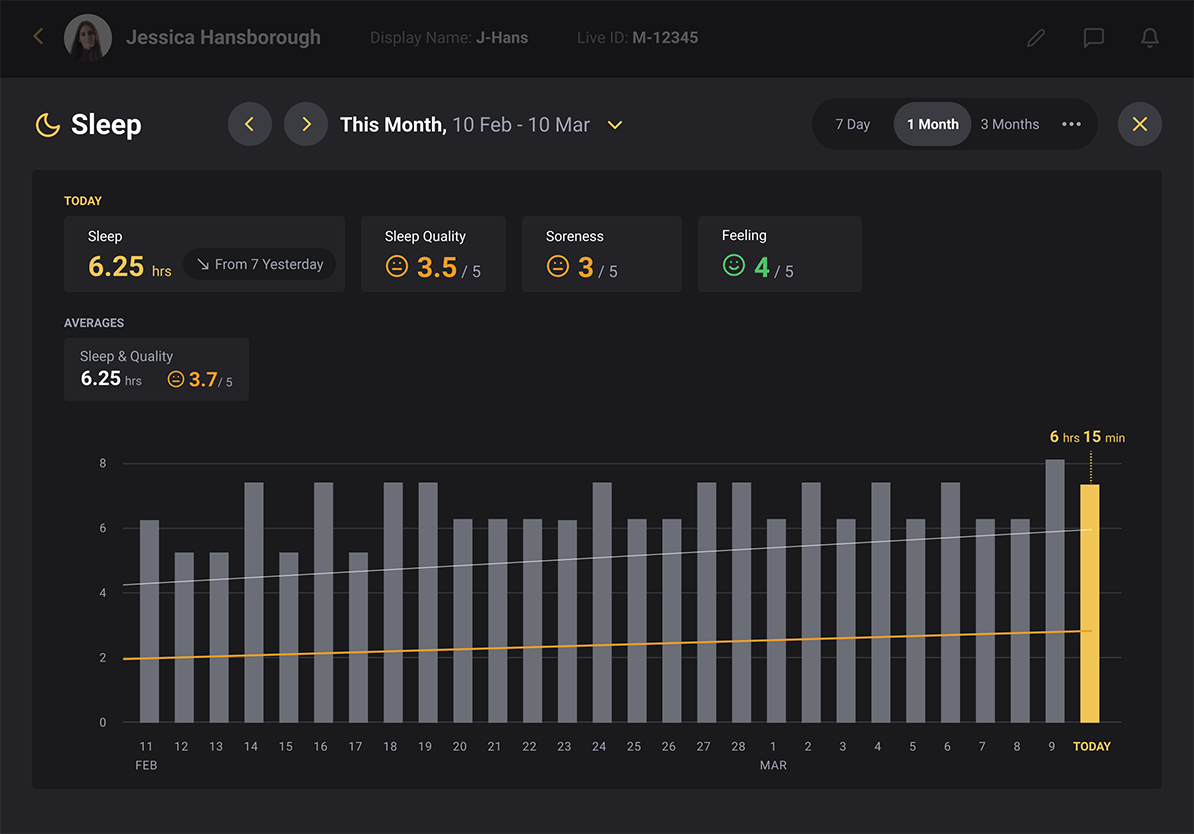
Sleep is shown in context with the rest of the week so coaches can tie rough sessions back to rest.
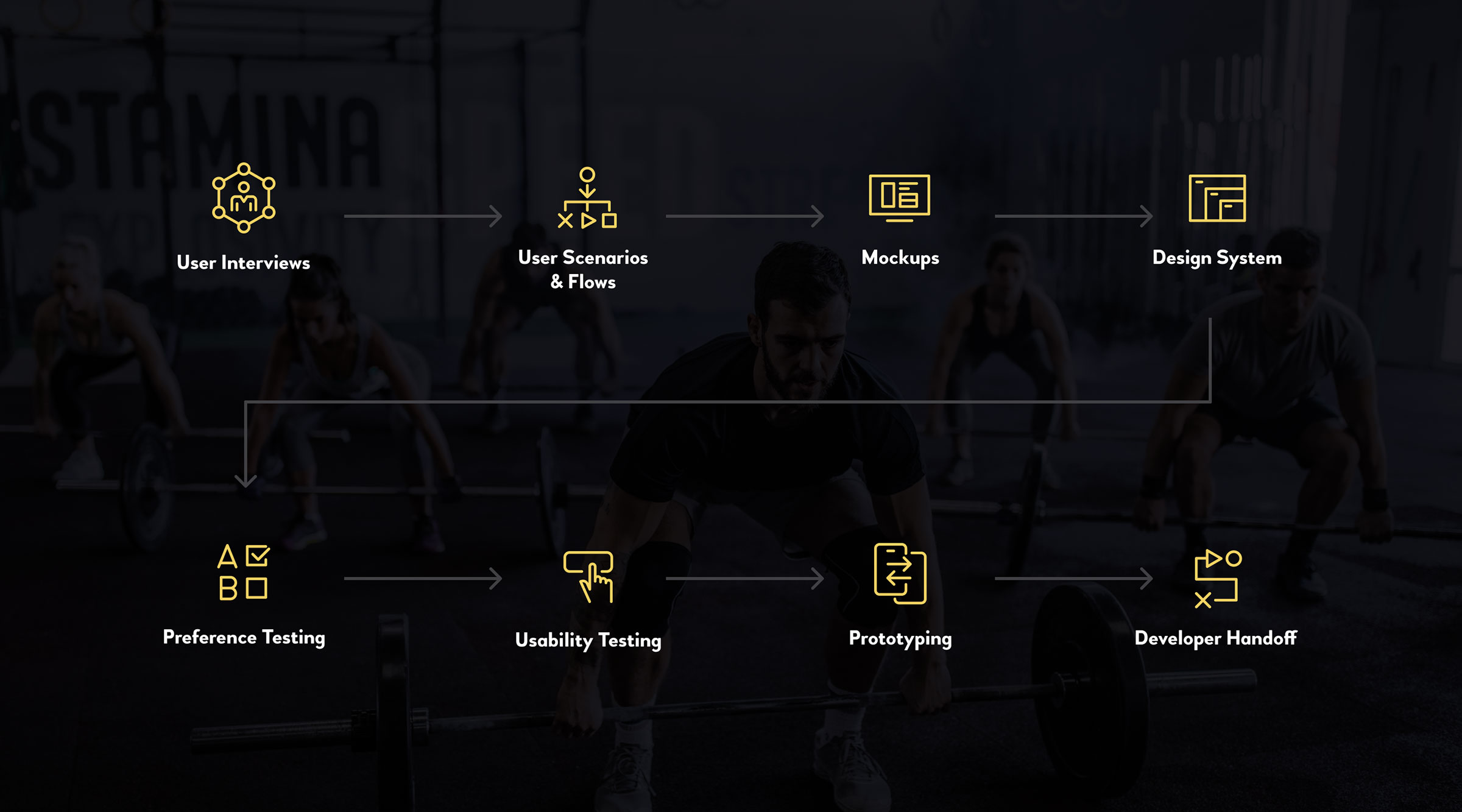
Organizing data and presenting information through progressive disclosure was an interesting challenge. Fitness data was one of the key screens and went through a series of iterations, usability testing to nail down the experience for Professional Coaches.
A: Tabs
Tabs were the simplest interaction pattern to categorize related information, and separate dissimilar information with progressive disclosure.
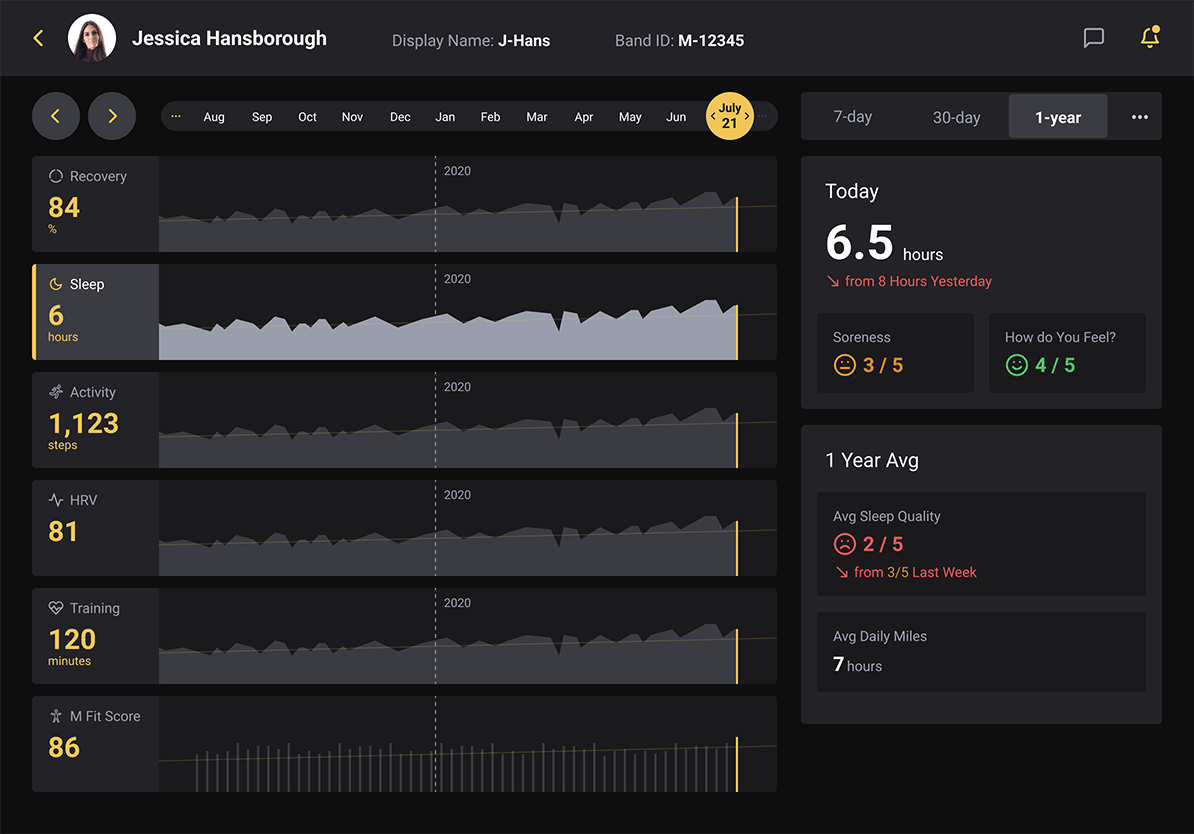
B: Panels
Panels were efficient and worked well for comparison of the overview and the granular details since they retained the context at all times.
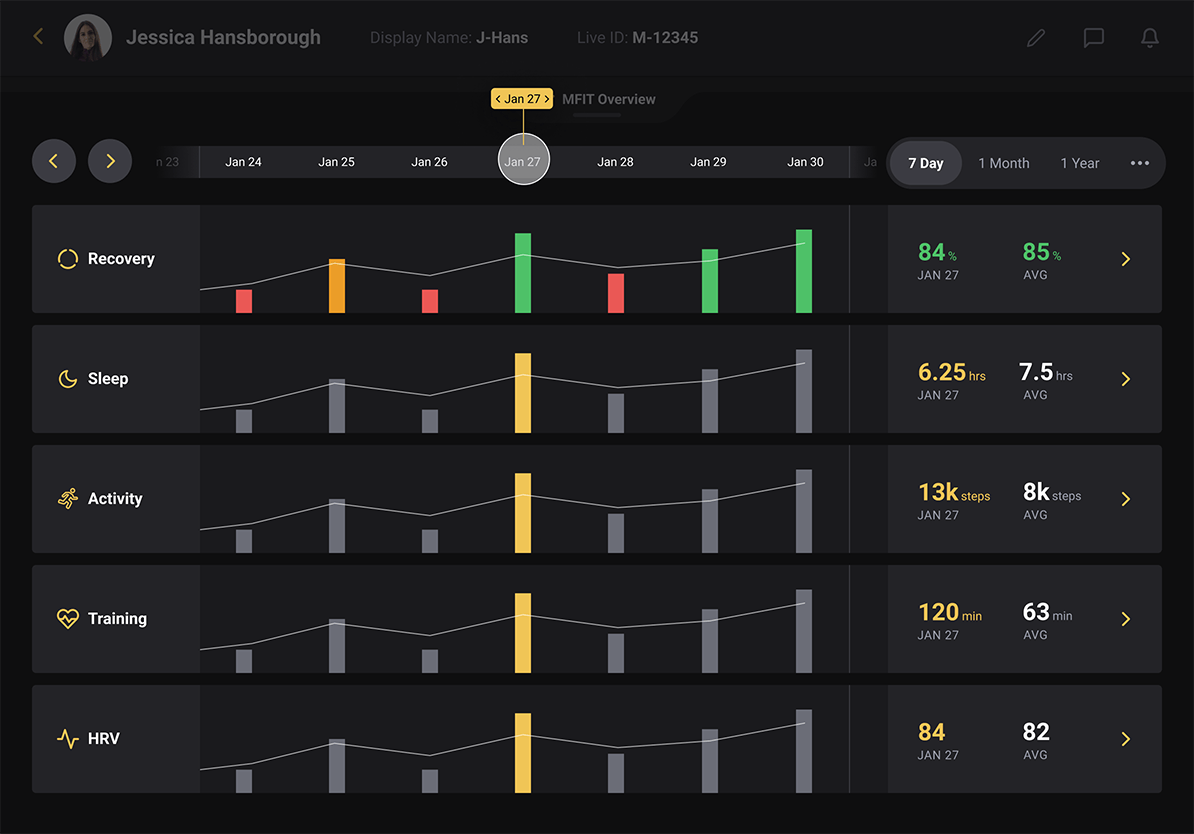
C: Blocks
Blocks allowed for progressive disclosure and deep-dive into specific data points and preserved the integrity of the data with respect to date filters.
The Verdict: Option C performed better than all others. Coaches liked the ability to view the overview at a glance without distraction and the ability to dive into details when necessary.
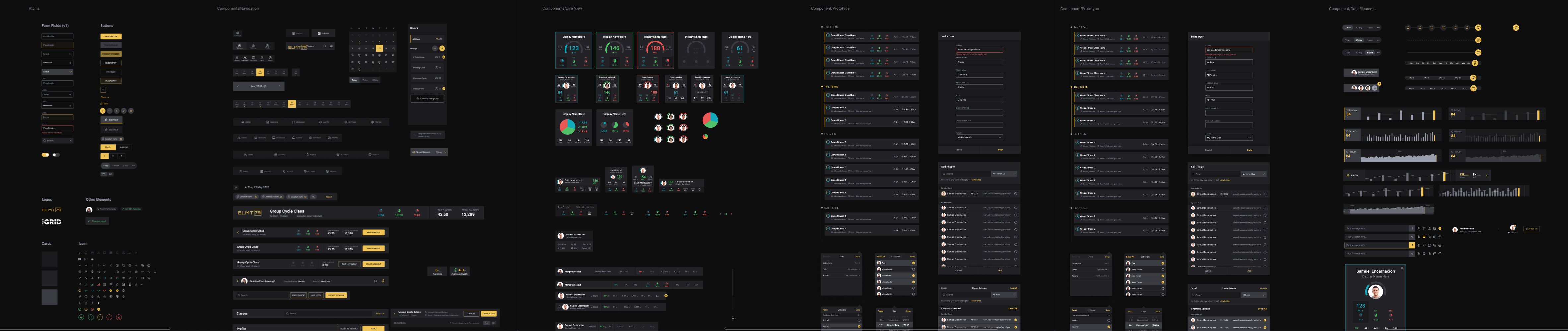
The animations were made using Principle for ease to depict the interactions for the development team.


